Video has become one of the most effective forms of online content. Whether for marketing, blogging, product, or service promotion, almost every website includes video content on its platform.
Today, there is a significant increase in demand for short, engaging clip that communicates messages clearly to the target audience. But even as the need for video grows, not everyone has the expertise or time to master complex editing software.
That void has opened the field for online tools to help everyday users cut, clean, and polish clips without too much hassle. Classic editing software can be intimidating for beginners. Their high-end applications, many tool panels and dockable windows, high system requirements, and steep learning curve present a great challenge.
Here’s where online video cutters come in. They provide an easy way to edit videos for those who don’t have the necessary technical knowledge. Let’s discuss some of the reasons why online video cutters are perfect for non-editors.
1. Designed for Simplicity

The majority of online video cutters are designed to provide users with fast and easy edits. That is why an online video cutter is the best choice for bloggers, small-business owners, teachers, marketers, and social media makers.
Unlike traditional editing programs that require training and time, an online video cutter typically works in three easy steps:
- Upload your video
- Adjust start and end points
- Export or save the video
Their simplicity of use is behind their success. As short-form content becomes the dominant format on online platforms, creators need tools that can quickly and easily edit videos.
2. No Need to Install or Invest in Expensive Hardware
A major benefit of the online video cutter is that it makes software installation unnecessary. The tools for editing used to be clunky; software-based options required powerful computers and dedicated storage space in addition to regular upgrades.
Online video cutters operate completely in the web browser, so they’re available on just about any device, including laptops, tablets, or a smartphone.
This flexibility is beneficial for:
- Remote workers collaborating online
- Students editing on school devices
- Social media creators on the road
- Small businesses with limited budgets
Ultimately, this browser-based model ensures high-quality editing is available to anyone, anywhere, regardless of their technical setup.
3. Fast, Efficient, and Perfect for Everyday Tasks

The efficiency of these online tools is another key reason behind their growing popularity. With a single dedicated function- cutting- these tools operate quickly and without complexity. This makes them well-suited for tasks such as:
- Preparing Social Media Clips
Short, engaging videos are popular across platforms like Instagram Reels, TikTok, and YouTube Shorts. As such, optimizing accompanying text for brevity and clarity is crucial for performance and viewer retention.
- Business and Marketing Content
The online video cutters provide the speed and flexibility businesses need to thrive in the short-term media landscape. Companies can effortlessly repurpose their lengthy video assets, including promotional clips, advertisements, or internal communications, by trimming them down into highly engaging, concise clips that maximize audience attention and platform performance.
- Educational Use
Instructors and teachers split longer recordings into smaller clips to facilitate learning.
- Personal Video Projects
Whether it’s cropping down vacation videos or shortening an event video, users need something with zero technical knowledge.
4. Beginner-Friendly and Safe to Use
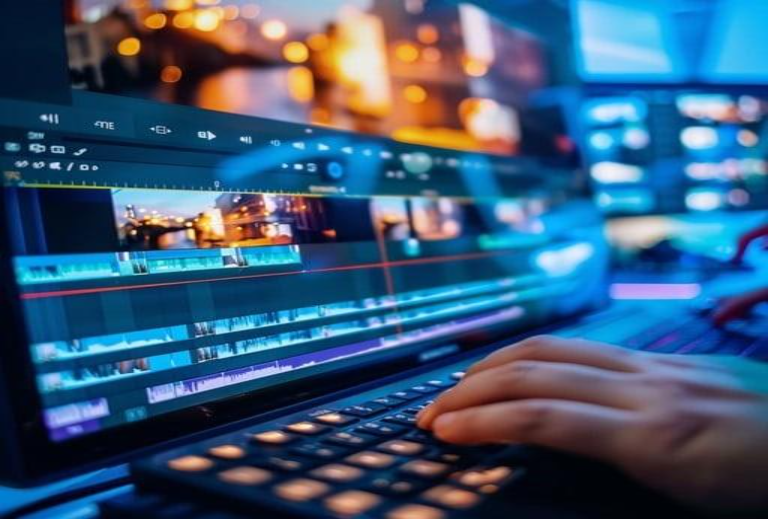
The only purpose of online video cutters is to make the video-cutting process easier. And since it is based on usability rather than special effects, non-editors can achieve predictable performance without dealing with obscure configuration options or confusing jargon.
Additional benefits include:
- Free or low-cost usage
- Support for a variety of video formats
- Secure processing with automatic file removal
- No prior editing experience required
For those who need to make basic cuts, the cost of a full-blown editing suite isn’t justified. And this is where online cutters are doing an excellent job.
5. A Great First Step in Video Editing
Most creators who eventually move on to more complex editing programs usually begin with basic tools like online video cutters. These tools enable users to learn the basics of editing—cutting, pacing, and selecting content—without overwhelming them.
With video being central to digital communication, the skill of trimming and editing is increasingly required. Using online video cutters can help users gain confidence, experiment, and learn at their own pace, so they can proceed to more advanced platforms if necessary.
Online video cutters facilitate a steady stream of work, in addition to their usefulness and ease. A large number of these tools facilitate integration with the cloud, where creators can upload, trim, and save their work directly in Google Drive or Dropbox. This will eliminate the manual transfer of files between devices and also lessen the chances of losing work.
There are some tools that provide additional features like muting background noise or changing aspect ratios, or clipping short bits of video, which will not bombard users with complicated editing interfaces.
If you are looking for a balance between functionality and convenience, these browser-based ones are the right choice for non-editors who want clean and polished videos quickly. They enable beginners to produce works that appear professional without necessarily being under stress when trying to edit the content.
Conclusion
Online video cutters are perfect for those who want to trim their videos instantly without the hassle of installing a program. Their easy interface, multi-platform presence, quick processing duration, and beginner-friendly approach clearly make them suitable for non-editors.
If you’re a branding manager preparing a promo clip, or even just an individual working on your blog’s content issues, these tools provide practical and easy ways to make professional videos.
About the Author